PIXNET Logo登入

天天向上

跳到主文

程式外包服務  E-mail: me1237guy@yahoo.com.tw 歡迎來信洽談, 請附上相關文件或問題說明, 謝謝

專長:  ※自動光學檢測 ※人臉辨識 ※車牌辨識 ※錄影監控系統 ※自動控制I/O相關 
      ※演算法開發 ※基因演算法 ※類神經網路 
      ※MATLAB  ※VISUAL C++/C# ※Xamarin ※OpenCV ※Emgu ※Unity ※QT4/5
-----------------------------------------------------------------------------------------------
   SA (模擬退火法)     GA (基因演算法)    ACO (蟻群演算法)    PSO (粒子最佳化演算法)   
   排列組合問題最佳化   TSP  Scheduling  K-means, Fuzzy C-means, KNN, DBSCAN分群  
   Fuzzy Control (模糊控制)  Neural Networks (類神經網路) Object Tracking (Kalman Filter, Optical Flow)  
   Object Recognition (Pattern Match, Haar-Like Features, EigenFace)  Human Pose Recognition
   人臉偵測     移動物偵測   車牌辨識    智慧型監控攝影  XBOX Kinect影像處理及應用 體感互動應用  
   自動光學檢測(AOI) 玻璃檢測  NVIDIA CUDA平行運算處理
   TI-DSP 6xxx系列 雙影像輸入   / Raspberry PI 樹莓派 / Arduino控制  自走車避障礙物(GPS/機器視覺)

部落格全站分類:數位生活

  • 相簿
  • 部落格
  • 留言
  • 名片
  • 1月 14 週二 201406:33
  • 安裝 Install Emgu CV

image
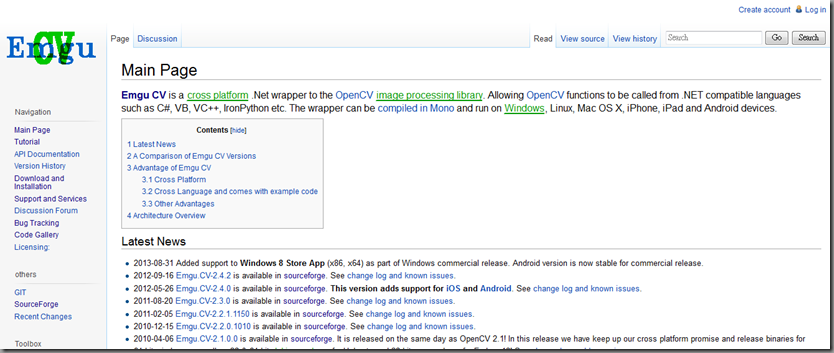
至Emgu sourceforge下載libemgucv-windows-universal-cuda-2.9.0.1922-beta.exeEmgu官方網頁
預設路徑:C:\Emgu\emgucv-windows-universal-cuda 2.9.0.1922
(繼續閱讀...)
文章標籤

me1237guy 發表在 痞客邦 留言(0) 人氣(1,793)

  • 個人分類:Emgu CV
▲top
  • 1月 12 週日 201411:49
  • C# Mouse Click and Draw an Image Using Visual Studio 2012

image
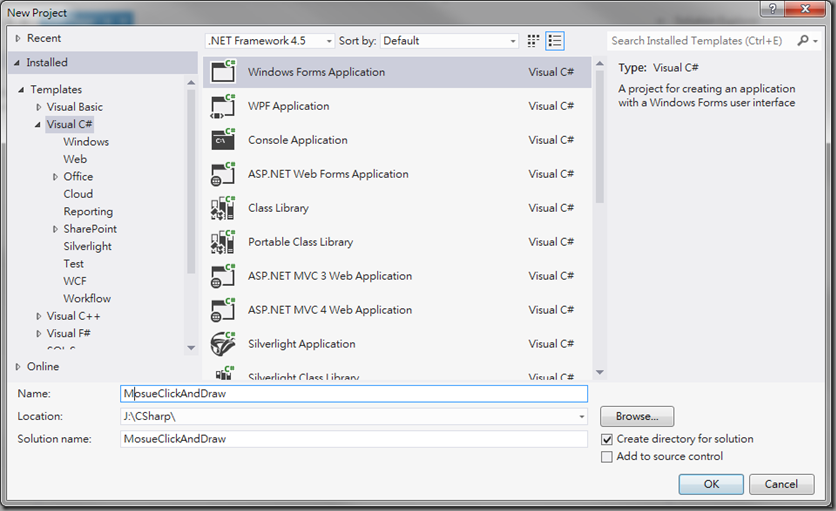
首先, 新增一個專案名稱“MouseClickAndDraw”設定BackColor 屬性值為 Black color設定DoubleBuffered 為True 加入圖片至Resources
(繼續閱讀...)
文章標籤

me1237guy 發表在 痞客邦 留言(0) 人氣(144)

  • 個人分類:C#
▲top
  • 1月 08 週三 201400:09
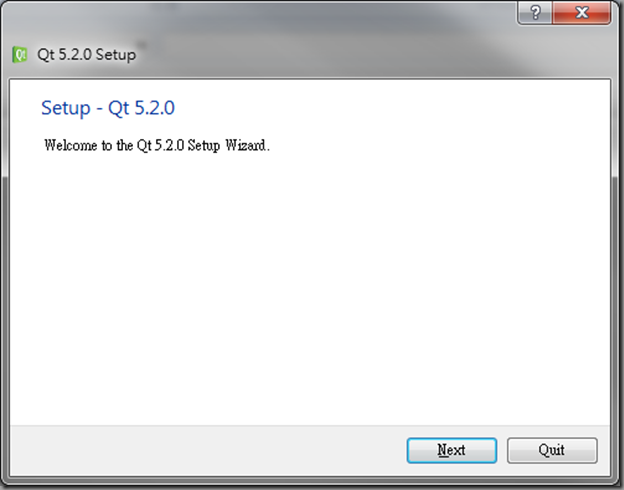
  • 安裝Install Qt5.2.0

image
Qt 5.2
我的SONY NB Win7 64 bit選擇 Qt 5.2.0 for Windows 64-bit (VS 2012, 590 MB) (Info)
(繼續閱讀...)
文章標籤

me1237guy 發表在 痞客邦 留言(0) 人氣(254)

  • 個人分類:其他語言
▲top
  • 1月 07 週二 201414:56
  • C++/CLI: StreamWriter and StreamReader

image
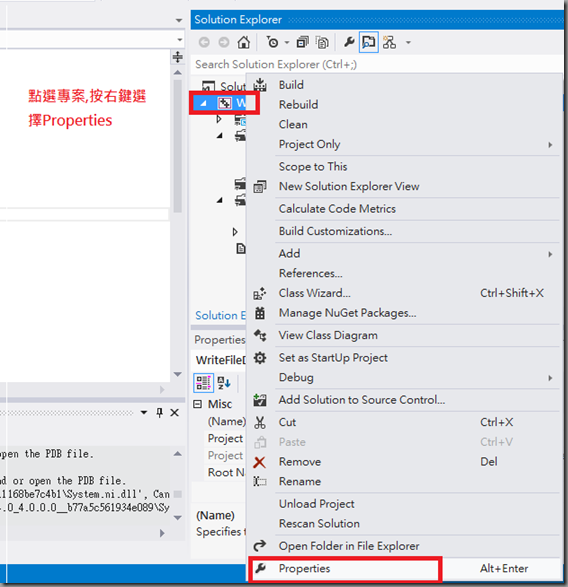
專案設定Common Language Runtime Support預設值為No Common Language Runtime Support改選擇支援Common Language Runtime(/clr)設定clr完成後編輯程式才會自動出現對應的提示字,否則會不認得namespace System及System::IO
 1: // WriteFileDemo4.cpp : Defines the entry point for the console application.
 2: //
 3:  
 4: #include "stdafx.h"
 5: using namespace System;
 6: using namespace System::IO;
 7:  
 8: int _tmain(int argc, _TCHAR* argv[])
 9: {
 10: // 寫入檔案
 11: String^ path = "test.txt";
 12: StreamWriter^ sw = File::CreateText(path);
 13: String^ line = "我要寫入4";
 14: sw->WriteLine(line);
 15: sw->Close();
 16:  
 17: // 讀取檔案
 18: StreamReader^ sr = File::OpenText(path);
 19: String^ s = "";
 20: if( s = sr->ReadLine())
 21: {
 22: Console::WriteLine( s );
 23: }
 24: Console::ReadLine();
 25: return 0;
 26: }
(繼續閱讀...)
文章標籤

me1237guy 發表在 痞客邦 留言(0) 人氣(508)

  • 個人分類:Visual Studio
▲top
  • 1月 07 週二 201412:48
  • CRT: fprintf_s and fscanf_s

image
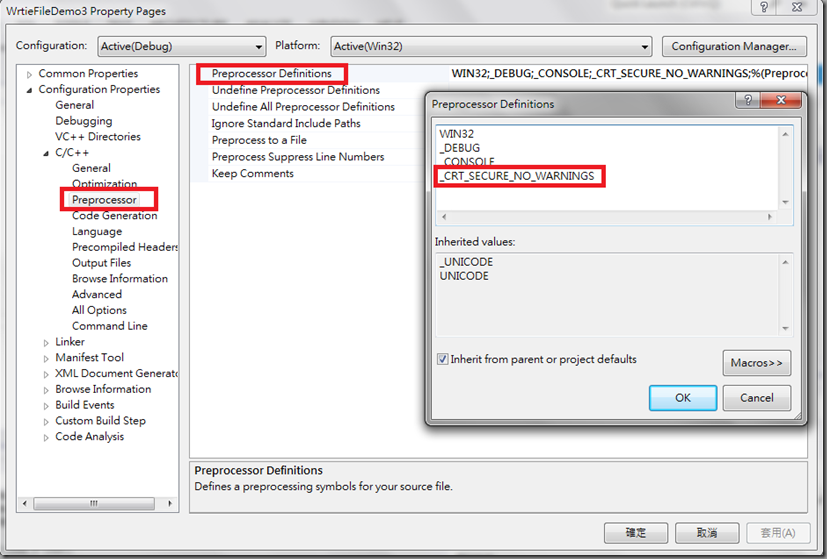
CRT(C執行時期函式庫)在編譯前須先設定preprocessor, 加入_CRT_SECURE_NO_WARNINGSCRT安全版: 增加參數驗證, 緩衝區大小檢查, 格式化參數驗證功能寫入fprintf_s讀取fscanf_s
 1: #include "stdafx.h"
 2: #include <cstdio>
 3: #include <iostream>
 4:  
 5: int _tmain(int argc, _TCHAR* argv[])
 6: {
 7: // 寫入檔案
 8: char msg[] = "我要寫入3";
 9: FILE *fp;
 10: printf_s("寫入檔案:\n%s\r\n", msg);
 11: fopen_s(&fp, "test.txt", "w");
 12: fprintf_s(fp, "%s\n", msg);
 13: fclose(fp);
 14:  
 15: // 讀取檔案
 16: fopen_s(&fp, "test.txt","r");
 17: char line[256];
 18: fscanf_s(fp, "%s", line, 256);
 19: printf_s("讀取檔案: \n%s\r\n", line);
 20: fclose(fp);
 21: system("pause");
 22: return 0;
 23: }
 24:  
(繼續閱讀...)
文章標籤

me1237guy 發表在 痞客邦 留言(0) 人氣(1,389)

  • 個人分類:Visual Studio
▲top
  • 1月 07 週二 201411:21
  • C++ Standard Library: ofstream and ifstream

利用ofstream寫入檔案, ifstream讀入檔案
很明顯用標準函式庫比上一篇(Windows API WriteFile and ReadFile)使用Windows API語法簡單易懂多了!!!
(繼續閱讀...)
文章標籤

me1237guy 發表在 痞客邦 留言(0) 人氣(134)

  • 個人分類:Visual Studio
▲top
  • 1月 07 週二 201411:06
  • Windows API WriteFile and ReadFile

使用WindowsAPI進行WriteFile 和 ReadFile應用程式  ---> Windows API –—> Windows 作業系統
 1: #include "stdafx.h"
 2: #include <Windows.h>
 3: #include <iostream>
 4:  
 5: using namespace std;
 6:  
 7: int _tmain(int argc, _TCHAR* argv[])
 8: {
 9: // 寫入檔案
 10: HANDLE hFile;
 11: DWORD nBytes;
 12: hFile = CreateFile( _T("test.txt"), GENERIC_WRITE, FILE_SHARE_WRITE, NULL, CREATE_ALWAYS, 0, NULL);
 13: char msg[] = "我要寫入1";
 14: if( hFile != INVALID_HANDLE_VALUE)
 15: {
 16: WriteFile(hFile, msg, sizeof(msg)-1, &nBytes, NULL);
 17: CloseHandle(hFile);
 18: cout << "寫入內容: " << msg << endl; 
 19: 
 20: cout << "寫入 " << nBytes << " Bytes" << endl;
 21: system("pause");
 22: }
 23: //-------------------------------------------------
 24: // 讀取檔案
 25: hFile = CreateFile( _T("test.txt"), GENERIC_READ, FILE_SHARE_READ, NULL, OPEN_ALWAYS, 0, NULL);
 26: if(hFile != INVALID_HANDLE_VALUE )
 27: {
 28: char line[256] = {0};
 29: BOOL bResult;
 30: bResult = ReadFile(hFile, line, sizeof(line), &nBytes, NULL);
 31: if(nBytes!=0)
 32: {
 33: cout << "讀入內容: " << endl;
 34: cout << line << endl;
 35: }
 36: CloseHandle(hFile);
 37: system("pause");
 38: }
 39: return 0;
 40: }
(繼續閱讀...)
文章標籤

me1237guy 發表在 痞客邦 留言(0) 人氣(2,400)

  • 個人分類:Visual Studio
▲top
  • 1月 05 週日 201415:46
  • OpenCV-2.4.8 with VS2012 console project

image
開啟新專案
專案名稱: VS2012ConsoleOpenCV248

按下<Next>按鈕
(繼續閱讀...)
文章標籤

me1237guy 發表在 痞客邦 留言(1) 人氣(1,015)

  • 個人分類:OpenCV
▲top
  • 1月 03 週五 201422:11
  • Visual Studio 2010環境設定

image
工具->選項->文字編輯器->所有語言->勾選<行號>

設定字體

(繼續閱讀...)
文章標籤

me1237guy 發表在 痞客邦 留言(0) 人氣(131)

  • 個人分類:Visual Studio
▲top
  • 1月 03 週五 201417:07
  • 安裝Install OpenCV 2.4.8 with Visual Studio 2012

image
新版OpenCV 2.4.8發行囉!!!
直接Extract到C:\OpenCV-2.4.8\

(繼續閱讀...)
文章標籤

me1237guy 發表在 痞客邦 留言(0) 人氣(2,119)

  • 個人分類:OpenCV
▲top
«1...75767789»

個人資訊

me1237guy
暱稱:
me1237guy
分類:
數位生活
好友:
累積中
地區:

熱門文章

  • (8,484)分水嶺影像分割Marker-based Image Segmentation Algorithm Using OpenCV2.4.7 with Visual Studio 2010
  • (4,000)Pylon Live View C# Sample Code Review
  • (14,170)網路上提供測試 RTSP 的伺服器
  • (23,895)Adding Something to DataGridView
  • (4,378)安裝PLC學習軟體 FX-TRN-BEG-T
  • (7,366)建立和使用 C# 的 DLL
  • (3,658)安裝Open eVision 1.2.5.8549
  • (12,906)EmguCV : 圈選感興趣區域
  • (25,023)C# 如何創建, 暫停, 繼續, 終止一個執行緒(Thread)
  • (2,809)安裝ONVIF Device Manager

文章分類

  • wordpress (2)
  • 雲端計算 (1)
  • 邊緣運算 (5)
  • MPI (2)
  • Git & Github (6)
  • Unity (2)
  • Android Studio (10)
  • Deep Leraning (35)
  • LaTex (2)
  • Linux (6)
  • jetson nano (3)
  • Qt (20)
  • Docker (4)
  • Office (1)
  • OpenTK (1)
  • WPF (8)
  • SQL (4)
  • Revit (6)
  • MATLAB (13)
  • R Language (8)
  • Design Pattern & Implementation by Using C# (48)
  • RaspberryPI (5)
  • Python (77)
  • 其他語言 (40)
  • 攝影機 (45)
  • 工業應用 (50)
  • 家庭 (12)
  • Mobile (31)
  • 工作日誌 (2)
  • Linux (5)
  • C/C++ (15)
  • AOI (41)
  • Emgu CV (42)
  • C# (147)
  • Visual Studio (48)
  • OpenCV (118)
  • 未分類文章 (1)

最新文章

  • Gemini API Key 低成本 Nano Banana Pro作圖
  • DMK 37AUX226
  • wafer基礎術語
  • 將資料夾中多個mp4影片合併成一個mp4檔案
  • 如何用沙子制造芯片:从冶炼硅锭到晶圆打磨|芯片工艺合集
  • yolov9安裝
  • ActionEngine, ActionTask and ActionWorker
  • @dataclass裝飾子
  • IO控制卡安裝驅動器後無法在此裝置載入驅動程式
  • How you put and then get items from a queue.Queue

動態訂閱

文章精選

文章搜尋

誰來我家

參觀人氣

  • 本日人氣:
  • 累積人氣: