- Nov 07 Thu 2013 17:05
-
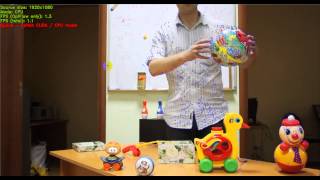
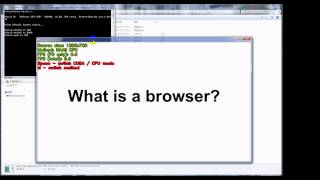
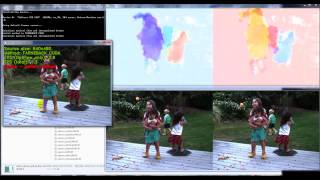
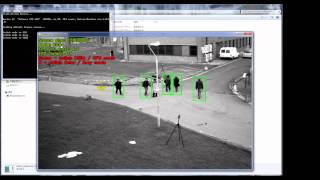
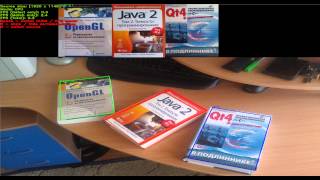
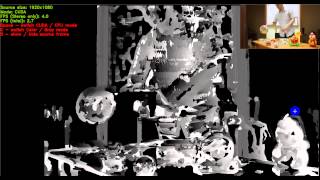
OpenCV-2.4.6.1-GPU-demos-pack-win64

- Nov 07 Thu 2013 11:12
-
RGB2HSV測試

img=imread('lena.jpg');
img2=rgb2hsv(img);
figure;
imshow(img);
figure;
imshow(img2);
imwrite(img2, 'lena_hsv.jpg');
- Oct 31 Thu 2013 22:25
-
外觀差異與比對 Shape Distance and Matching

今天在google有關shape matching的主題, 意外搜尋到OpenCV3.0.0.0的線上資料
我想關於OpenCV 3.0將提供<ShapeDistanceExtractor>的介面, 應該是補足目前OpenCV 2.4.6 所提供的cv::matchShapes
- Oct 30 Wed 2013 22:00
-
輪廓搜尋 Finding contours using OpenCV2.4.6 with Qt5.1

接續上一篇<輪廓搜尋 Finding contours using OpenCV2.4.6 with visual studio 2010>
這次將整合搜尋輪廓find contours範例至Image Viewer平台, 開啟上一篇的範例程式<find contour VS2010 OpenCV2.4.6>
- Oct 30 Wed 2013 15:03
-
輪廓搜尋 Finding contours using OpenCV2.4.6 with visual studio 2010

/**
* @function findContours_Demo.cpp
* @brief Demo code to find contours in an image
* @author OpenCV team
*/
#include "opencv2/highgui/highgui.hpp"
#include "opencv2/imgproc/imgproc.hpp"
#include <iostream>
#include <stdio.h>
#include <stdlib.h>
using namespace cv;
using namespace std;
Mat src; Mat src_gray;
int thresh = 100; // scollbar預設值(門檻值)
int max_thresh = 255; // scrollbar上限(max value)
RNG rng(12345); // Random Number Generator, 參考core.hpp
/// Function header
void thresh_callback(int, void* ); // 門檻回呼函式
/**
* @function main
*/
int main( int arg, char** argv )
{
/// Load source image and convert it to gray
const char* filename = arg == 2 ? argv[1] : "sample.jpg";
src = imread(filename, 1 );
/// Convert image to gray and blur it
cvtColor( src, src_gray, CV_BGR2GRAY ); // 轉灰階
blur( src_gray, src_gray, Size(3,3) ); // 模糊化
/// Create Window
const char* source_window = "Source";
namedWindow( source_window, CV_WINDOW_AUTOSIZE ); // CV_WINDOW_AUTOSIZE:使用者無法調整視窗大小
imshow( source_window, src );
createTrackbar( " Canny thresh:", "Source", &thresh, max_thresh, thresh_callback );/* createTrackbar(scrollbar名稱,
視窗標題,
scrollbar預設值,
scrollbar上限值,
回呼函式)
*/
thresh_callback( 0, 0 );
waitKey(0);
return(0);
}
/**
* @function thresh_callback
*/
void thresh_callback(int, void* )
{
Mat canny_output;
vector<vector<Point> > contours;
vector<Vec4i> hierarchy;
/// Detect edges using canny
Canny( src_gray, canny_output, thresh, thresh*2, 3 );
namedWindow( "Canny", CV_WINDOW_AUTOSIZE ); // Canny output
imshow( "Canny", canny_output );
/// Find contours
findContours( canny_output, contours, hierarchy, CV_RETR_TREE, CV_CHAIN_APPROX_SIMPLE, Point(0, 0) );
/// Draw contours
//Mat drawing = Mat::zeros( canny_output.size(), CV_8UC3 ); // contour 輸出
Mat drawing;
src.copyTo(drawing);
for( size_t i = 0; i< contours.size(); i++ )
{
Scalar color = Scalar( rng.uniform(0, 255), rng.uniform(0,255), rng.uniform(0,255) );
drawContours( drawing, contours, (int)i, color, 3, 8, hierarchy, 0, Point() );
/*
void drawContours( InputOutputArray image,
InputArrayOfArrays contours,
int contourIdx,
const Scalar& color,
int thickness=1,
int lineType=8,
InputArray hierarchy=noArray(),
int maxLevel=INT_MAX,
Point offset=Point() );
*/
}
/// Show in a window
namedWindow( "Contours", CV_WINDOW_AUTOSIZE );
imshow( "Contours", drawing );
}
- Oct 30 Wed 2013 10:17
-
Qt日期時間操作 Date and time in Qt

Qt Creator新增一個專案<Qt圖形介面應用程式>
專案名稱: DateTimeGUI
-----------------------------------------------------------------------------------------------------------
開始利用QDate和QTime來進行日期時間的操作吧!
首先mainwindow.h加入下列標頭檔
#include <QDate>
#include <QTime>
#pragmaexecution_character_set("utf-8")
- Oct 28 Mon 2013 15:35
-
安裝Git for Windows 1.8.4

- Oct 26 Sat 2013 19:39
-
以延展或正常大小的方式顯示影像Displaying a a stretched or normal image within a form layout Using OpenCV2.4.6 with Qt5

接續之前一篇<二值化灰階影像 Binarize a gray level image Using OpenCV 2.4.6 with Qt5 >
這次打算寫一個即時調整門檻值並顯示對應二值化後的小圖
1. 在tabwidget插入一個頁面<參數>
- Oct 24 Thu 2013 13:46
-
滑鼠移動時取得滑鼠座標位置的像素值Getting pixel value by mouse move event Qt5 + OpenCV2.4.6

參考: Getting MouseMoveEvents in Qt
請加入下列至 mainwindow.h
bool eventFilter(QObject *obj,QEvent *event);//事件偵測(滑鼠)
- Oct 17 Thu 2013 16:07
-
Basler 3.2 Pylon C API 筆記2

- Oct 17 Thu 2013 11:13
-
Basler 3.2 Pylon C API 筆記1
pylon C and GenApi
The pylon C API builds upon GenApi, a software framework that provides a high-level API for generic access to all compliant digital cameras, hiding the peculiarities of the particular interface technology used. Accordingly, the application developer can focus on the functional aspects of the program to be developed. Due to the abstraction provided by GenApi, programs need not be adjusted to work with different types of camera interfaces.(例如使用area camera和linescan camera幾乎感覺一模一樣, 因為兩者的差異已經在GenAPI處理掉了, 使用者只需要專注在收到影像像素後的處理) Even applications can be addressed where different camera interfaces are used at the same time.The dependency of pylon C upon GenApi shows in some places, mostly where names of functions or other entities start with a GenApi prefix. Wherever this is the case, an element of the underlying GenApi layer is directly exposed to the pylon C user.
The pylon C API builds upon GenApi, a software framework that provides a high-level API for generic access to all compliant digital cameras, hiding the peculiarities of the particular interface technology used. Accordingly, the application developer can focus on the functional aspects of the program to be developed. Due to the abstraction provided by GenApi, programs need not be adjusted to work with different types of camera interfaces.(例如使用area camera和linescan camera幾乎感覺一模一樣, 因為兩者的差異已經在GenAPI處理掉了, 使用者只需要專注在收到影像像素後的處理) Even applications can be addressed where different camera interfaces are used at the same time.The dependency of pylon C upon GenApi shows in some places, mostly where names of functions or other entities start with a GenApi prefix. Wherever this is the case, an element of the underlying GenApi layer is directly exposed to the pylon C user.
- Oct 16 Wed 2013 20:11
-
影像放大 & 縮小 & 適中 & 貼齊視窗功能

整合這篇<利用Qt5寫一個簡單的影像瀏覽器>至另一篇<分別取出RGB像素頻道Extract RGB channels from an image Using OpenCV2.4.6 with Qt5 >
將SplitRGBQt5OpenCV246目錄夾複製一份
